How to Evaluate a Used Tablet in Person
Check the touchscreen, accessory compatibility and account locks before buying a secondhand tablet.
Verify the exact model and supported apps first. Then test touch across the whole display, confirm that the seller can release the tablet, and watch it charge normally.
Bring a realistic shopping list
A secondhand tablet may still be excellent at a job that takes up one corner of your day. It can hold sheet music on a stand, show lesson plans, display reference pictures or travel with a drawing kit. The useful question is whether it does that job in the way you expect. A larger screen may be easier to read across a room and harder to support with one hand on a bus. A small tablet can be convenient until you try to mark up a full page of text.
Write the names of two or three apps you actually need. Look up their current operating system requirements and the information the tablet maker publishes for the exact model. A seller may report what is already installed, but an installed application can stay on a device even when the current version can no longer be downloaded or supported. Check that the required login and online features still work for your account type.
Plan for the details that make the tablet useful where it will live. Look for a suitable stand or case if you want it to sit at a consistent tilt. Note whether you need cellular data away from Wi-Fi, and verify both the tablet variant and the service provider's requirements. Ask how the unit was sourced if that information is unclear. A receipt or recognized refurbishing process makes ownership and any future service question easier to establish.
Confirm the model and what comes with it
Ask for the exact model identifier and storage capacity, then compare them with the details shown in the tablet's settings. Tablets with similar fronts can belong to different generations. A case that looks close may put the camera opening in the wrong place. A keyboard could attach mechanically but depend on a connector the newer or older model lacks. Buy accessories only after confirming their support for the actual tablet.
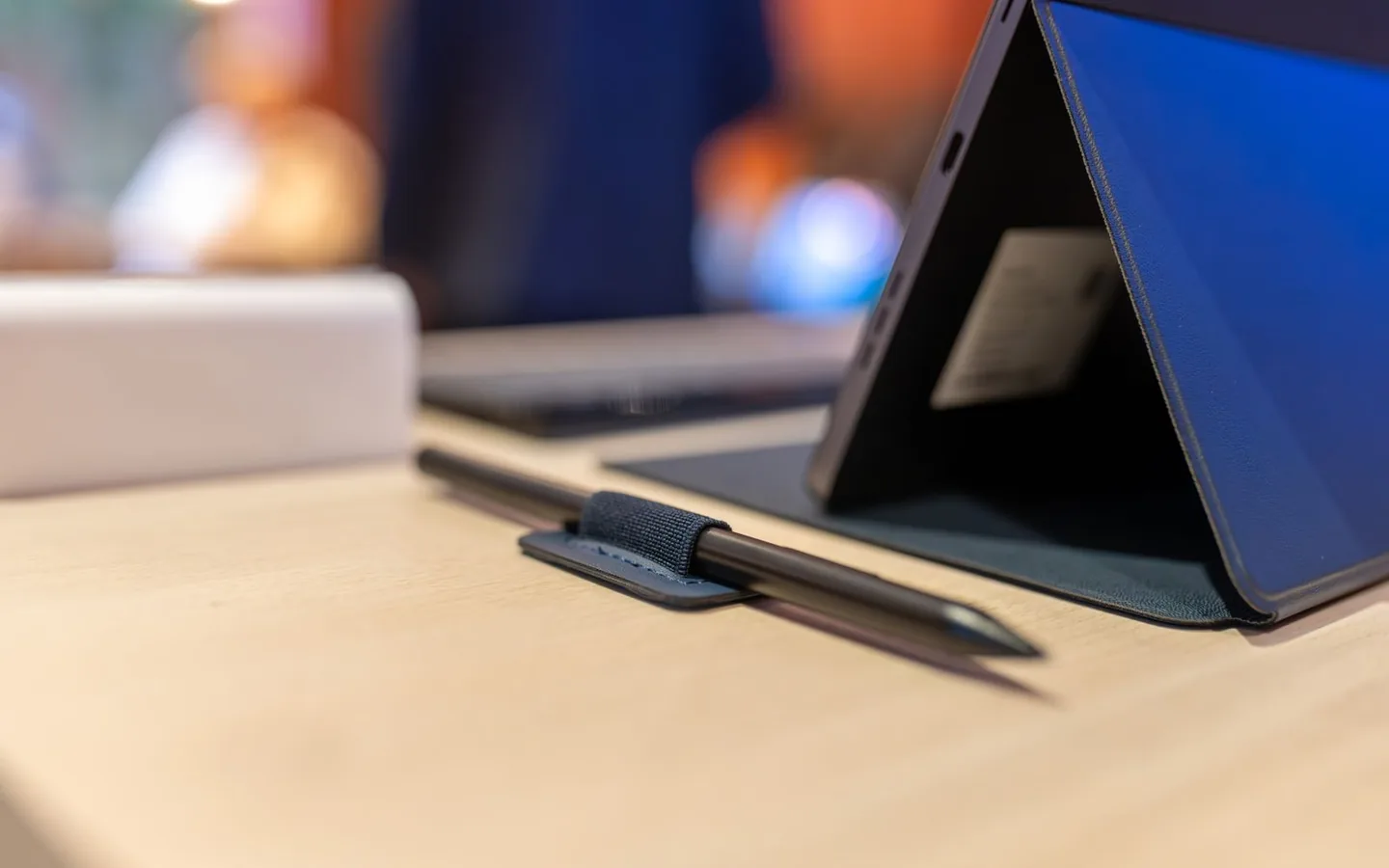
Check whether a stylus is included, how it attaches or charges and which features it supports. A simple capacitive pen might act like a narrow finger. A compatible active pen can offer specific capabilities such as pressure or palm rejection, depending on the tablet and app. If drawing, signatures or handwritten notes are central to the purchase, try the combination before paying. The seller's broad description of a pen does not tell you how it behaves in the application that matters.
Ask to see the cable and charger. Examine the connection for wear and confirm the charger is suitable for that device. If an accessory is missing, compare the total cost including replacements. A tablet bought for a workshop can require a protective case, a charging lead and a stand before it is useful. Those separate prices belong in the same comparison as the purchase price.
Test the screen as a surface, not just a picture
Wipe the glass gently if the seller allows it, then look at it with the screen off and from a slight angle. A scratch near the edge may be invisible during normal reading. A cluster in the middle may catch light every time you move a document. Check how a screen protector is hiding or revealing the condition. If the seller does not want it removed, treat the underlying glass as an unresolved part of the inspection.
Open light and dark backgrounds and look across the whole display. Then use a basic drawing or notes app to drag marks across several paths. Include the corners and edges. Open the keyboard and type a sample with letters on both sides. Try a pinch gesture where you can see it work. A screen can display a sharp picture even though one strip no longer responds reliably to touch.
If the model supports a pen you need, draw slow diagonal lines and make short marks at several points on the screen. Rest your hand as you normally would while writing. Check how the pen responds close to edges in your intended app. A tablet intended as a reader may be worth keeping despite an annoying pen issue. A tablet intended to sign or annotate a stack of documents has a different threshold.
See whether the tablet works away from the charger
Start an unplugged trial. Set a practical brightness and open a document, video or sketch similar to your planned use. A short trial cannot measure full runtime, but it can reveal things worth asking about, such as sudden drops in the displayed charge or a tablet restarting with reserve still showing. If the operating system or maker reports battery service information for this model, read it alongside the seller's claims.
Try the volume controls, speakers and a quick recording with the microphone. Rotate the screen if you intend to read in both orientations. Use the front camera if you expect to make calls. Test any necessary headphone or data connection rather than assuming a charging socket works for every function. A university student who watches recorded classes with headphones has a different list from the person buying a tablet as a cookbook stand.
Look for signs the case is separating or bent, especially near the edges and charging port. A visibly swollen or damaged device should not be charged or pressed back into shape. Ask the seller to resolve it through an appropriate service channel. Ordinary battery wear may be accommodated in the price. A device that appears physically unsafe is a poor starting point even for a conveniently low-stakes job.
Verify it can be set up under your own account
A tablet can be erased and still tied to someone else's account. On platforms with activation protection, the former owner must follow the supported release process before the next person can activate it. A device once owned by a school or business can also be enrolled in management that reappears during setup. A home screen that opens normally does not answer either question by itself.
Ask the seller to erase the device using the maker's process after backing up their own information. Check that it reaches the initial setup screen without asking for an unknown account. If the platform supports a safe way to verify activation while the seller is present, follow it. Avoid typing one of your primary credentials into a device that remains under someone else's control. The former owner can resolve any lock that is theirs to release.
For a shipment, get this condition in writing and read the return terms before ordering. If enrollment or activation stops setup, document the message and return through the seller's agreed channel. Login prompts are useful evidence. They are rarely a good reason to start searching for ways to change the device outside the supported ownership process.
Work out what the next year will cost
Add accessories, a future battery service and any repair or warranty costs that are reasonable to expect. If a pen is crucial, look for replacement availability. A tablet mounted where it charges can work with a modest battery, while a drawing tablet you carry around needs a healthier one. Match the price comparison to your specific plan, including any data subscription or storage upgrade you would otherwise need.
Check the screen size and weight again with the case in mind. A bulky cover can transform something that felt comfortably light in a store. If you buy for long reading sessions, take a book or familiar page and see how you hold it after several minutes. If you buy for recipes, see whether the screen is easily readable on a stand at the distance you normally work.
A seller with a workable return window may be worth a higher price than a platform with uncertain recourse. Keep a copy of the listing and the promised condition. Compare the figures with a supported newer model if an older one needs multiple replacements. Savings matter when you keep them after buying everything that makes the tablet usable.
If the tablet is inexpensive because the maker stopped producing accessories, consider whether a generic stand or keyboard will cover the same need. Proprietary pens and keyboard covers are sometimes harder to replace than the tablet itself. Look for the exact model numbers of parts you would want. A workable alternative gives you a way to keep the device in use even after a case hinge or pen tip wears out.
Run one full version of the job at home
Use the tablet from the beginning to the end of a real task. Load a new document, annotate it, export a copy and open that copy somewhere else. Take a call with the camera and microphone you expect to use. Read on battery in the rooms where you will spend time. This reveals details that a quick inspection misses, such as an uncomfortable stand angle or the wrong version of an export function.
Update the system through its normal settings and put a backup in place before storing work that matters. Record the serial number privately with your receipt and note where to go for service. If you plan to lend the tablet within the household, check separate profiles or restrictions where the platform supports them. Decide which account controls purchases and recovery before handing it over.
Keep the tablet if it meets the simple description you wrote at the start. The person buying a used device has the advantage of choosing among tools with well-understood jobs. A device that works comfortably for those jobs can keep finding uses long after its original packaging has gone.